

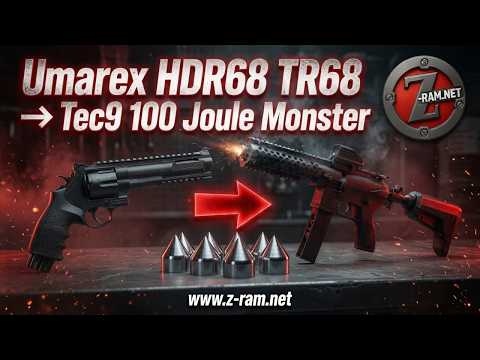
This edit preserves the original Z-RAM video's assembly, estimates, product offers and next-video announcement in their historical source context.
Tec9 body kit for the Umarex HDR68/TR68
Welcome back to the Z-RAM YouTube channel. Z-RAM's Tec9 body kit for the Umarex HDR50 and TR50 was really well received. A lot of viewers asked for a version for the HDR68 and TR68, so today Z-RAM is excited to present the new version.
In this video, Z-RAM will mainly demonstrate how to turn the HDR68 into a proper tactical setup, as well as how versatile the kit is and what kinds of builds it can create. Of course, Z-RAM's Z.68v3 projectiles can be used with it. With the Z-Drum, even the longer and pointier Z.68s projectiles can be used. Now, straight into the build.

The existing HDR68 setup and housing removal
This is Z-RAM's HDR68, already shown in some previous videos. It is running a tuning barrel with an extension, a power kit, the Z-Drum and, of course, the Z-Extension for more chamber volume and even more power. As already mentioned, Z-RAM is using the Z-Drum here because its deeper chambers allow the longer and pointier Z.68s projectiles to be used.
Z-RAM starts by removing the barrel extension and unscrewing the red dot, then takes off the grip. The HDR68 now looks pretty naked; Z-RAM does not see it like this very often.
Next, Z-RAM removes all the small screws to open the housing. The front and rear sights have also already been taken off; they are held in place by the two screws shown on top. Z-RAM sets everything aside for now and opens the housing, taking out this spring so it does not fly away.
After that, Z-RAM can pull out the entire trigger unit together with the barrel and the Z-Extension. Everything can stay together as one piece. The original housing is no longer needed and can be put to the side. The Z-Extension and tuning barrel are also available in Z-RAM's shop. Their installation has already been shown in other videos, which viewers are welcome to check out on the channel.
New Tec9 housing and ASA-to-chamber adapter
This is the new Tec9 body kit for the TR68. As shown, the fit and finish are really good. The surface came out nice and clean, with no ugly machining marks or anything like that. Z-RAM now simply places the trigger unit into the new housing.
The barrel spring must be seated correctly, and the barrel must still be able to move under tension. There is one important difference from the HDR50 version: using the ASA-to-chamber adapter for HPA requires a Z-Extension. Without plans to use the ASA-to-chamber adapter, the Z-Extension is not needed unless it is wanted to increase performance.
Since Z-RAM mainly wants to run this with 88 g CO2, the ASA-to-chamber adapter is now being installed. For this, Z-RAM takes the trigger unit back out and removes the pressure gauge, then can screw on the ASA-to-chamber adapter. Threadlocker should always be used when installing the Z-Extension or the adapter.
Z-RAM can now put the trigger unit back into the housing and reinstall the barrel again. The spring must be in the right position, and the little nipple on top must sit correctly. Next, Z-RAM reinstalls the drum pin and spring.
Z-RAM probably should have started with the other half of the housing, but it is not a big deal. Everything is simply taken out again and installed from the other side. Once all springs and parts have been double-checked for correct seating, the assembly can continue.
Drum release, drum holder and housing assembly
Next, Z-RAM installs the drum release button and drum holder. These parts are also included in the kit. There is the L-shaped piece shown here and a small spring. Z-RAM puts the spring in first, then inserts both parts into the hole and turns the assembly counterclockwise so it is under tension.
That was basically the main part of the work. Z-RAM can now put the other half of the body kit back on. Everything must sit properly, and the barrel and drum pin must still be able to move freely.
Next, Z-RAM puts the lever onto the drum pin; it simply pushes on. If it sits a little loosely, a little threadlocker can be used, but not too much, so that it can still be removed later if needed.
The housing can now be screwed back together. Z-RAM uses the new small screws supplied with the kit instead of the original ones. Z-RAM will screw everything together now and return in a second. All the small screws are in; the housing is now fully assembled.
As shown, everything works smoothly and looks really good. It also feels solid and high quality.
Barrel extensions and modular barrel covers
Next, Z-RAM adds a barrel extension to the tuning barrel, actually adding another immediately afterward to get as much power as possible from this setup. According to Z-RAM, that works best with a long barrel. Z-RAM could even add a third sniper barrel extension, but will keep it at two for now and add the normal tuning barrel extension later.
Z-RAM now installs the barrel cover. There are two versions, one with a Picatinny rail and one without. The choice is completely a matter of preference. The barrel cover comes in two halves that screw together. It can either be assembled first and then slid on, or fitted the way Z-RAM is doing it here. The Picatinny rail can also be positioned on the top, bottom or side, depending on what is needed.
Z-RAM also adds a second barrel cover, screws everything together quickly and then continues. The barrel covers are now installed, and everything still moves smoothly, which is important. Z-RAM now screws on the barrel extension that originally came with the tuning barrel.
Next, Z-RAM mounts its red dot sight. Of course, a scope or laser can also be mounted if preferred. Then comes the punch button shown here, which simply slides onto the piercing pin. Z-RAM does this carefully because it is not 100% certain whether a CO2 capsule is still inside.
Drum holder, 88 g CO2 adapter and shoulder stock
Now comes the drum holder. Drums can be stored inside it, and the holder can then be inserted into the marker. Next, Z-RAM installs an on/off adapter for 88 g CO2 capsules onto the ASA-to-chamber adapter.
Of course, a full HPA tank or an on/off adapter for HPA bottles can also be used. Z-RAM's shop also offers complete upgrade packages that already include everything needed.
Z-RAM can now carefully screw in the 88 g CO2 capsule. It is not to be pierced yet, so Z-RAM only threads it in lightly for now. A shoulder stock can now slide over the 88 g capsule. There are two different versions in the shop, one for 88 g CO2 and one for HPA bottles. Z-RAM simply puts this one on for now.
The completed setup and shorter configurations
The setup is now complete and looks really good. With two sniper extensions plus the normal barrel extension and an 88 g CO2 capsule, it should be around 90 to 100 J. Z-RAM reminds viewers that its sharp projectiles can be used with it.
Since the silver CO2 capsule looks a little off to Z-RAM, it is being replaced with a black 88 g capsule. That looks much better with the black housing. The other shoulder stock version can now also be seen. Z-RAM simply loads a drum with Z.68s projectiles, and the setup is done. The black capsule matches the housing much better.
This would be the full 100 J setup. Of course, it can also be made shorter if desired, but then there will be less power. Z-RAM now demonstrates a shorter version. As shown, everything is modular, so it can be configured however desired.
This version, with one sniper extension and the normal barrel extension, actually looks really clean and should still reach around 80 to 90 J. It can be used with one or two barrel covers.
Even the compact 12 g CO2 version with just the normal barrel extension looks pretty good. With the Z-Extension, it should still be possible to reach around 40 to 50 J, which is still very effective with Z-RAM's projectiles, but only for target shooting, never against people or animals.
For this shorter setup, the shorter drum holder could also be used. The longer one shown here holds three drums, while the shorter version holds two.
Z.68v3 and Z.68s projectiles, and TR68 barrel covers
As Z-RAM mentioned earlier, these nice stainless-steel projectiles can be used with this kit. The first ones shown here are the Z.68v3, Z-RAM's newest version, which works with the standard drum. The second ones are the Z.68s. These are a little longer, so they require the Z-Drum, but they are very pointy.
Both versions weigh around 10 g, are made of stainless steel and are reusable. They cost a little more than plastic ammunition, but last much longer and do not rust.
These barrel covers can also be used on a regular TR68, even without the Tec9 body kit. They look good, have a Picatinny rail and are cheaper than most other barrel covers on the market.
Shop packages, questions and the next video
That is it for today. All the parts can be found in Z-RAM's shop. Z-RAM also offers complete upgrade packages that include everything needed. All that is needed is an Umarex HDR68 or TR68, followed by the choice of the right power kit for the model.
Anyone with questions is welcome to reach out through the chat function in Z-RAM's shop. Z-RAM is happy to help. In the next video, Z-RAM will carry out some shooting tests with this setup. Viewers who enjoyed this video are invited to leave a like and subscribe so they do not miss the next one. Z-RAM wishes everyone safety and fun, and looks forward to seeing everyone in the next video.
Related reading: Umarex HDR68/TR68 PowerKit.68 V2: The 7.5-J and 16-J Offers Compared.
Current products — separate from the historical presentation
Z-RAM Tec9 Body Kit for Umarex HDR68 / TR68 inerts (hides z-extension)
The current Tec9 body kit is the housing offer for Umarex T4E HDR68/TR68. It is separate from the .50 housing shown alongside it; select the model-specific offer rather than treating the two bodies as interchangeable. A complete marker is not included.
View the current offer
Z-RAM Tec9 Body Kit for Umarex HDR50 / TR50 inerts (hides z-extension)
The current Tec9 body kit is intended for the Umarex T4E HDR50/TR50 internals. This is the housing offer, not a complete marker. The .68 Tec9 body is a different model-specific offer.
View the current offerWatch the complete original presentation
The complete original video accompanies the text above.
▶ Play on YouTube🚀Z-RAM.net🚀 Turning a Stock HDR68 TR68 or HDR50 TR50 into a Tec9 100 Joules Beast 😯 RAM Paintball 🤫
Channel: Z-RAM
Related Z-RAM presentation
This separate .50 Tec9 presentation focuses on the Umarex HDR50/TR50 body kit. Its configuration is not a test of the .68 version.
 ▶ Play on YouTube
🚀 Z-RAM Tec9 Body-Kit for Umarex HDR50 / TR50 – How to Build This Tactical Beast & Presentation 🔥
Channel: Z-RAM
Important Legal Notice
Laws and regulations governing the purchase, possession, installation, modification, and use of the products described on this page vary by country, state, and local jurisdiction and may change. Before purchasing, installing, modifying, or using any product, you are responsible for confirming that it is permitted in your location and for your intended purpose. Product availability or delivery does not mean that purchase, possession, installation, modification, or use is lawful in your jurisdiction. Z-RAM does not provide legal advice, and the information on this page must not be treated as legal advice. If you are unsure, contact the competent local authority or a qualified legal professional.